
Direct Answer: What Is an ARN Status Check?
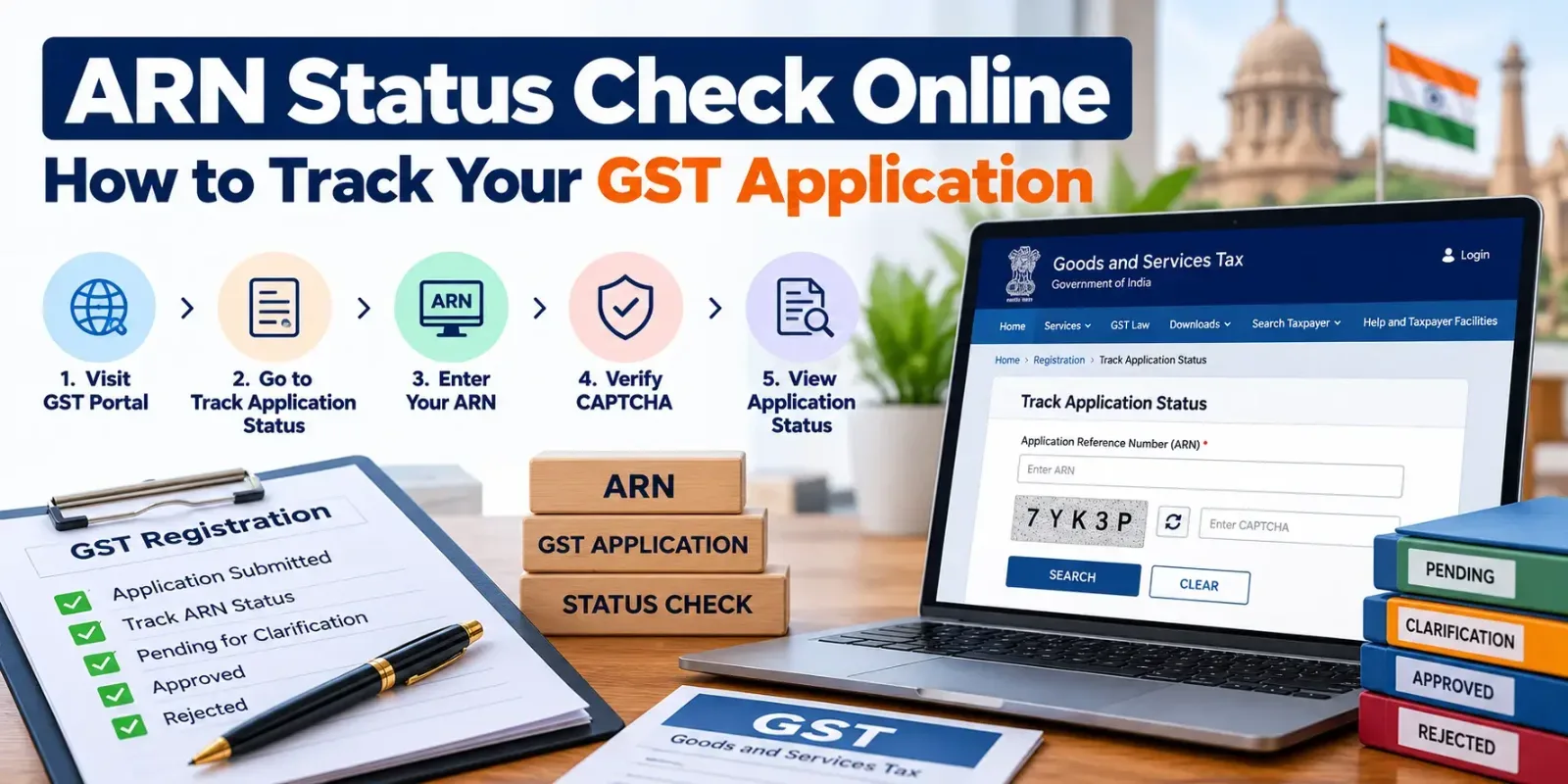
ARN Status Check: The GST Portal official online provides the status of the application for GST registration to the applicant. Once a GST registration application is submitted successfully, an ARN (Application Reference Number) is generated. They can use this number in the portal to track the status of their application pending, clarification required, approved, and rejected.
Quick Summary: ARN Status Check Online
- ARN full form: Application Reference Number.
- Purpose: Track a submitted GST application online.
- Official portal: GST Portal.
- Tracking path: Services → Registration → Track Application Status.
- Login requirement: ARN tracking is available without logging in.
- Information required: ARN and CAPTCHA verification.
- Common statuses: Pending for Processing, Pending for Clarification, Clarification Filed – Pending for Order, Approved, and Rejected.
- If clarification is requested: Review the notice and submit the required response within the prescribed time.
- If approved: Check your GSTIN and download the GST registration certificate.
- Important: An ARN confirms that an application has been submitted; it is not itself a GST registration certificate.
What Is ARN in GST Registration?
ARN means Application Reference Number. It is generated when the applicant submits the GST application successfully on the GST Portal.
The ARN assists in tracking application and processing status. Once submitted successfully, the ARN is generally sent to the applicant's registered email ID or mobile number.
They will receive ARN, and the number will be used as @tracking of the new GST registration application until passing an order by the tax authorities.
An ARN is different from the following identifiers:
- TRN (Temporary Reference Number): Used to access and continue a saved GST registration application before final submission.
- ARN (Application Reference Number): Used to track an application after successful submission.
- GSTIN (Goods and Services Tax Identification Number): The identification number issued when GST registration is granted.
Applicants should keep their ARN safely stored because it may be needed to check application progress, respond to queries, and follow up on delays.
Official reference: GST Portal.
How to Check GST ARN Status Online
You can check your GST application status online without logging in to the GST Portal. Follow these steps.
Step 1: Visit the Official GST Portal
Open the official GST Portal.
Always use the government portal for checking your application status. Avoid entering your ARN, login credentials, or other sensitive information on unofficial websites.
Step 2: Open Track Application Status
From the portal's home page, navigate to:
Services → Registration → Track Application Status
This option allows applicants to check the progress of a submitted registration application.
Step 3: Enter Your ARN
Enter the Application Reference Number received after submitting your GST application.
Check the number carefully before proceeding. An incorrect character or digit may prevent the portal from retrieving the application details.
Step 4: Complete CAPTCHA Verification
Enter the CAPTCHA characters displayed on the screen. This verification helps the portal process the tracking request.
If the CAPTCHA is unclear, use the available refresh option, if displayed, and enter the new characters.
Step 5: Click Search
Click the Search button to retrieve your application status.
The portal displays the available application details and processing stages. Depending on the status, you may need to wait, submit clarification, review an order, or complete further action.
Step 6: Review the Status and Take Action
Read the status carefully rather than relying only on whether the application is still pending.
If the application is under processing, monitor it periodically. If clarification is required, open the relevant notice and prepare a complete response. If the application is approved, check your GSTIN and registration certificate.
Official reference: GST System Project – Registration FAQs.
GST Application Status: Meaning of Each ARN Status
Understanding the status displayed on the portal helps you decide what to do next.
| GST application status | What it means | Recommended action |
|---|---|---|
| Pending for Processing | The application is awaiting processing by the tax authorities. | Monitor the portal and wait for the next update. |
| Pending for Clarification | The officer has requested additional information or documents. | Review the notice and respond within the prescribed deadline. |
| Clarification Filed – Pending for Order | Your clarification has been submitted and the application awaits further action. | Monitor the application for the officer's decision. |
| Site Verification Assigned | A site verification process has been assigned, where applicable. | Keep the business premises and supporting records ready. |
| Site Verification Completed | The verification report has been submitted. | Monitor the portal for further processing or an order. |
| Approved | The GST registration application has been approved. | Check your GSTIN and download the registration certificate. |
| Rejected | The application has been rejected by the competent authority. | Read the order, understand the reasons, and determine the appropriate next step. |
The statuses displayed can differ depending on the type of application and its processing stage. Always rely on the latest status, notices, and orders available on the official GST Portal.
How to Track GST Application Status Using a TRN
A Temporary Reference Number is generally used when you have started a GST registration application but have not submitted it successfully.
If you have a TRN rather than an ARN, follow the registration application access process.
- Visit the GST Portal.
- Select Register Now under the registration options.
- Choose the Temporary Reference Number (TRN) option.
- Enter your TRN and the CAPTCHA, where requested.
- Complete the OTP verification using the registered contact details.
- Open the saved application page.
- Review the application status and continue the process if the application is still incomplete.
A saved application is not the same as a successfully submitted application. The ARN is generated after submission, so applicants should verify that the final filing process has been completed.
Official reference: GST Registration User Guide.
What to Do If Your GST Application Is Pending?
A Pending for Processing status generally means that the application is awaiting action by the tax authorities. It does not automatically indicate a problem.
If your application remains pending, take these steps:
- Check the portal periodically for a change in status.
- Review the registered email address and mobile messages for communications from the GST authorities.
- Check whether a notice or clarification request has been issued.
- Verify that your submitted documents and application details are accurate.
- If the application appears delayed beyond the applicable processing period, contact the appropriate jurisdictional officer or use the official GST help and grievance channels.
Processing time can depend on the application, verification requirements, Aadhaar authentication, and whether additional information is requested. Avoid assuming that every application will be approved within the same number of days.
How to Respond to a GST Clarification Notice
If the status changes to Pending for Clarification, the tax officer may require additional information or supporting documents.
For a new GST registration application, a clarification notice may be issued in Form GST REG-03. The applicant generally submits the response in Form GST REG-04, where applicable.
Follow these steps:
- Log in to the GST Portal using the appropriate credentials.
- Open the relevant registration application or notice.
- Read every question and the officer's observations.
- Prepare the requested explanation and supporting documents.
- Ensure the response addresses the specific deficiencies mentioned in the notice.
- Submit the response through the prescribed portal process.
- Save the acknowledgement and continue monitoring the application.
Do not submit a generic response that fails to address the officer's questions. Missing information, inconsistent business addresses, unclear proof of premises, and incomplete supporting records can lead to further difficulties.
Important: Follow the deadline stated in the notice and the applicable GST rules. Do not assume that a clarification request automatically extends the processing period.
Official reference: GST Portal – Registration User Guide.
What to Do If Your GST Application Is Rejected?
If your ARN status shows Rejected, review the rejection order before taking further action.
The order should be examined to understand the reasons for rejection. These may relate to incomplete documentation, inadequate explanations, discrepancies in the application, or failure to satisfy applicable requirements.
Consider the following steps:
- Download and read the rejection order.
- Identify the specific reason or reasons for rejection.
- Review the submitted application and supporting evidence.
- Determine whether a fresh application or another legally available remedy is appropriate.
- Correct the identified deficiencies before proceeding.
- Seek professional advice if the rejection involves a legal interpretation or procedural issue.
Do not immediately submit the same application with unchanged documents. The appropriate next step depends on the grounds of rejection, the order, and the applicable rules.
ARN Status Check: Online Tracking Options Compared
Applicants may have different reference numbers depending on how far they have progressed with their GST application.
| Tracking method | Reference required | Best used for | Login or verification |
|---|---|---|---|
| Track Application Status | ARN | Checking a submitted GST application | Usually available without login; CAPTCHA required |
| Access Saved Registration | TRN | Continuing an application that has not been submitted | OTP verification may be required |
| GST Portal Login | Login credentials and relevant application details | Reviewing notices, responses, and other application information | Login required |
| GST Helpdesk or Grievance Channel | Relevant application details and reference number | Reporting technical issues or seeking assistance | Requirements depend on the support channel |
For a straightforward ARN status check, the official Track Application Status facility is generally the most convenient option.
Common Mistakes to Avoid During ARN Status Check
Entering the Wrong ARN
Check the reference number against the acknowledgement received after submission. Do not confuse the ARN with the TRN or GSTIN.
Using Unofficial Websites
Use the official GST Portal to check application progress. Third-party websites may provide general guidance but should not replace official status information.
Ignoring Clarification Notices
A clarification request may require action within a prescribed period. Regularly review portal notifications and registered email messages.
Uploading Incomplete Documents
If additional documents are requested, ensure they are legible, relevant, current where necessary, and consistent with the application details.
Assuming ARN Means Approval
An ARN confirms submission and provides a tracking reference. It does not establish that GST registration has been approved.
Failing to Review the Rejection Order
If an application is rejected, identify the stated reasons before deciding whether to reapply or pursue another available remedy.
Not Saving the Acknowledgement
Keep the ARN acknowledgement, submitted application, notices, clarification responses, and orders for future reference.
Expert Advice from TaxCaller
TaxCaller recommends that you check the status of the application with your ARN as soon as you receive the GST application acknowledgment.
We recommend that applicants retain a digital copy of the ARN, the application filed, supporting documents, notices from the portal, and replies. This cataloging will help you investigate delays and will help you respond to any clarification requests accurately.
If you are waiting for a decision on your application, check whether you were asked to provide any additional information by the officer. If you are denied, read the order carefully and reapply.
TaxCaller has business and tax compliance services полезных for a business applying for GST registration or needing assistance with ongoing compliance.
Explore our services:
The appropriate service depends on your business structure and compliance requirements. Professional assistance can be useful when the application involves complicated documentation, premises verification, or a clarification notice.
Official References
Use these authoritative sources in the published blog:
- GST Portal: Official GST Portal
- GST registration user guide: GST Portal Registration User Guide
- GST registration FAQs from CBIC: CBIC GST Registration FAQs
- GST helpdesk and self-service portal: GST Self-Service Portal
The official GST guidance confirms that applicants can track a submitted application through Services → Registration → Track Application Status, using their ARN and CAPTCHA.
Conclusion
ARN Status Check is an easy way to check GST registration application status online. Just enter your ARN in the specified field at the official GST portal to determine latest status and whether any specific actions are required of you.
Check rejection orders, reply to notices, file clarifications in time. Once you have a successful application, check your GSTIN and get the registration certificate.
Companies with GST help requirement, GST help registration, GST help documentation skills, & want GST help taxes going forward.